Workflow Auditor for ComfyUI
A downloadable game
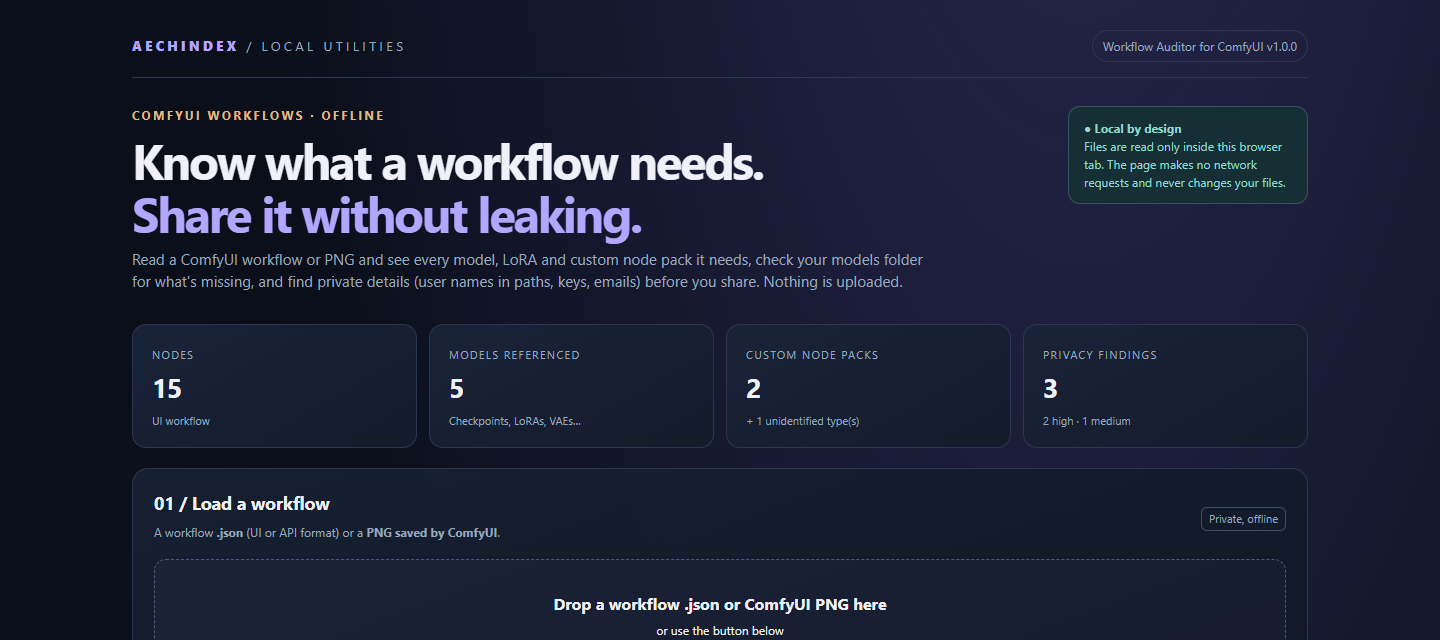
Downloaded a ComfyUI workflow and got a wall of red nodes and empty model boxes? About to share your own workflow or a PNG that quietly carries it? Workflow Auditor for ComfyUI answers two questions before you start: what does this workflow need, and what does it give away?
It runs entirely in your browser on your own computer. Nothing is uploaded and no account is needed, and it never changes your files.
WHAT YOU GET
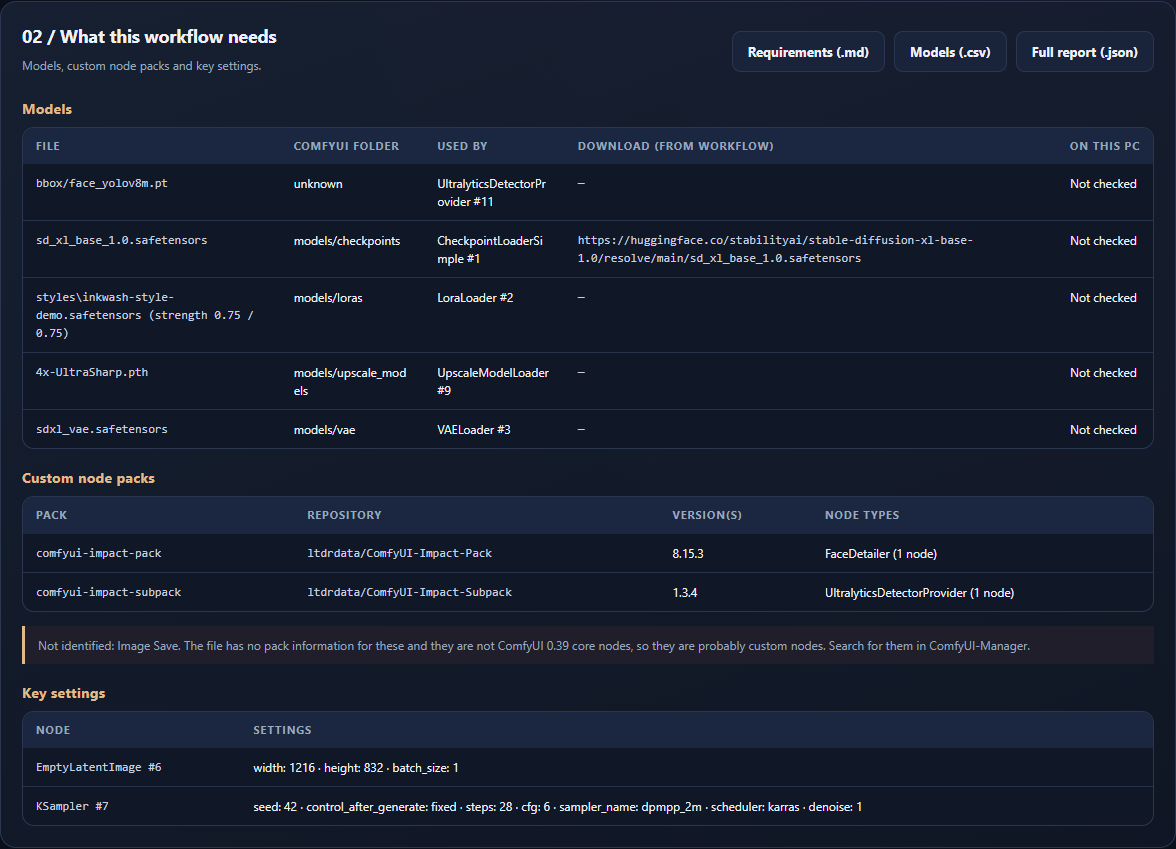
- A requirements list: every model file the workflow uses, with the ComfyUI folder it goes in (e.g. models/loras), LoRA strengths and any download links the author included. It also covers nodes inside subgraphs.
- Custom node packs: which packs it needs, with repository and version when the workflow records them. Node types it cannot identify are listed separately.
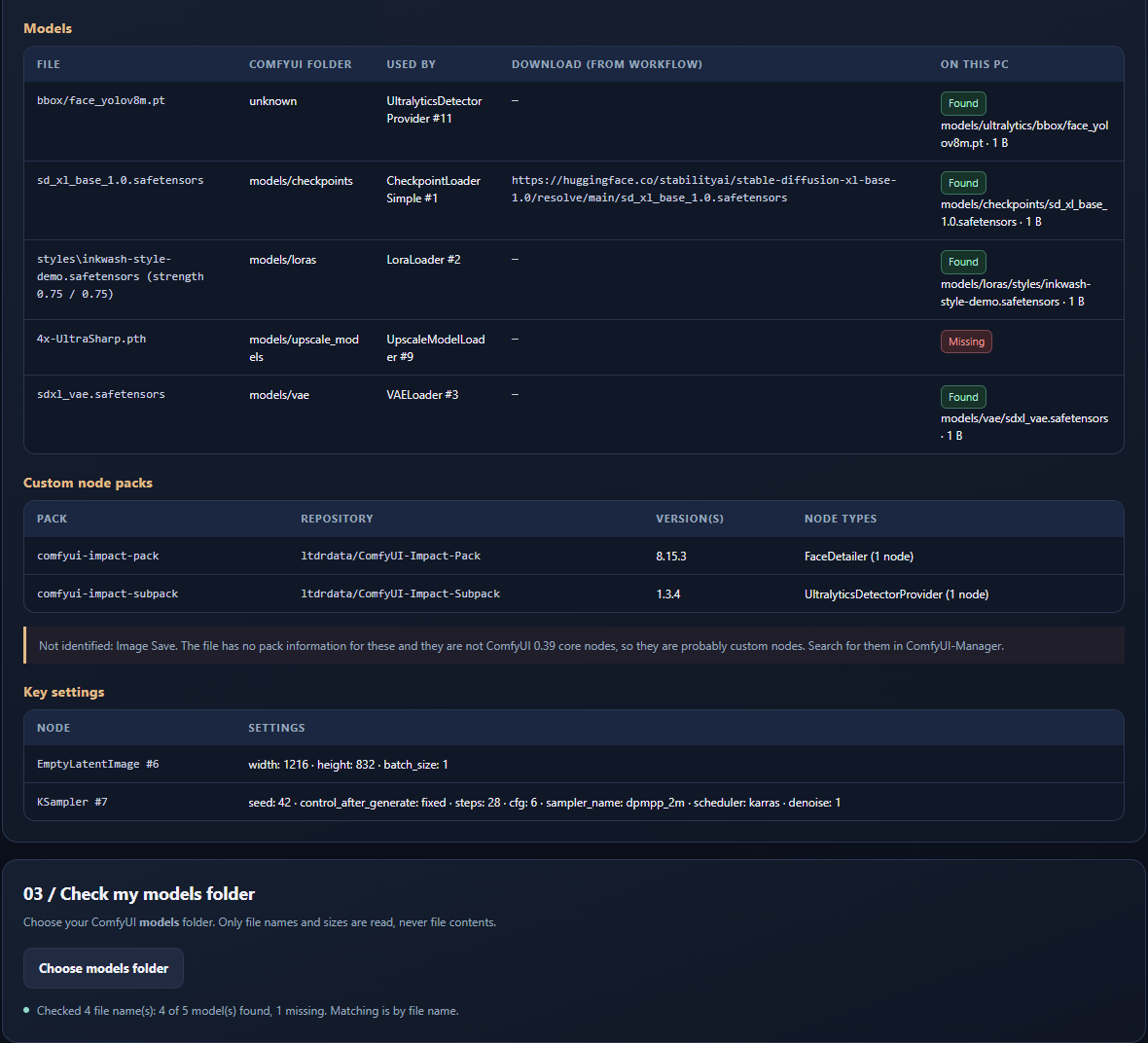
- A models folder check: point it at your ComfyUI models folder and see what's found, what's in a different folder and what's missing. Only file names are read.
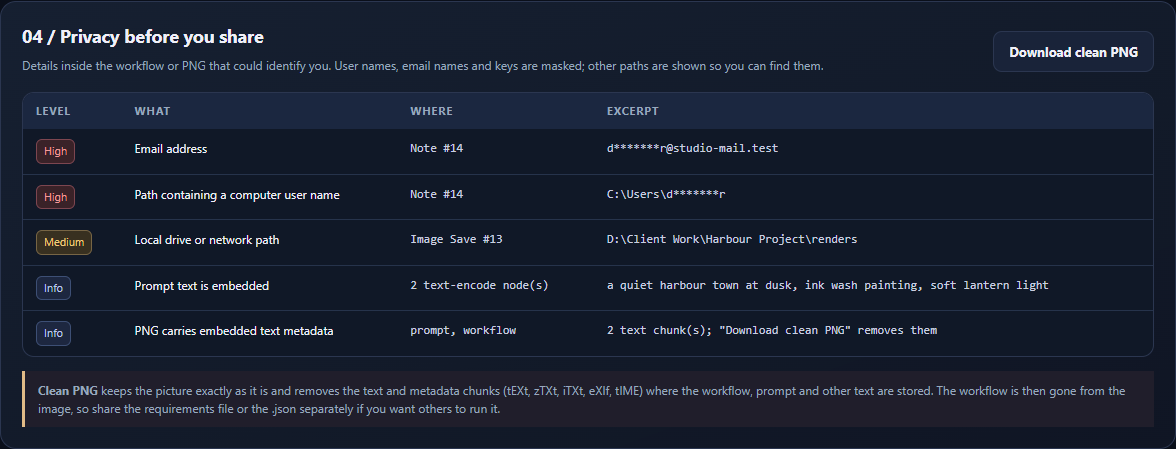
- A privacy check before you share: user names inside file paths, email addresses, possible API keys and tokens, and local drive paths, with user names, email names and keys masked. Some published example workflows still carry their author's local folder paths, a few including the computer user name.
- A clean PNG: removes the text and metadata chunks where the workflow, prompt and other text are stored, while leaving the picture exactly as it is.
- Exports: a requirements file to share alongside a workflow (no prompts, no folder paths, keys in links hidden), a models CSV and a full JSON report for your own records.
- A one-page guide, sample files for a two-minute test, and a customer licence.
HOW IT WORKS
- Extract the ZIP and open
Workflow-Auditor-for-ComfyUI.htmlin Microsoft Edge or Google Chrome. - Choose a workflow
.json(UI or API format) or a PNG saved by ComfyUI, or drag one onto the page. - Read the requirements, optionally choose your models folder, and review the privacy findings.
- Export the requirements, or download a clean PNG to post.
ComfyUI does not need to be running, and there's no Python to install.
BEFORE YOU BUY
- Reads workflow
.jsonfiles and ComfyUI PNGs. JPEG and WebP images are not read in this version. - Custom node packs are identified from the node information recent ComfyUI versions save in workflows. Older workflows may lack it, so some node types are shown as "not identified" for you to look up in ComfyUI-Manager.
- Model folders are known for core ComfyUI loaders, or when the workflow declares them. Models used by custom loaders show "unknown".
- The models folder check matches by file name. Same-named files with different contents are not told apart.
- The privacy check is automatic pattern matching. It can't recognise every private detail (for example a name inside a prompt), so read your prompts and notes too.
- Automated tests passed on Windows 11 in Microsoft Edge 155 and Google Chrome 155. It also read the whole official ComfyUI template package (594 workflows) and hundreds of files shipped with custom node packs without a crash. Other browsers, macOS and mobile are not certified.
- An independent AechIndex tool: not made or endorsed by the ComfyUI project.
LICENCE AND SUPPORT
One purchaser (a person or a business) may use it for personal and internal commercial work; the full terms are in LICENCE.txt. You own your workflows and everything you export. For product help, email aethelindex@gmail.com with your order reference and browser version. For payment or download problems, use the support route in your purchase receipt. Your rights under the Australian Consumer Law and itch.io's refund rules are not affected.
AI DISCLOSURE
AI assistance was used for code, sample files and text. The sample files and the personal details in them were invented for this product.